MCP Server Testing and Inspection With the MCP Inspector
A walkthrough of testing MCP servers with Inspector's three clients.
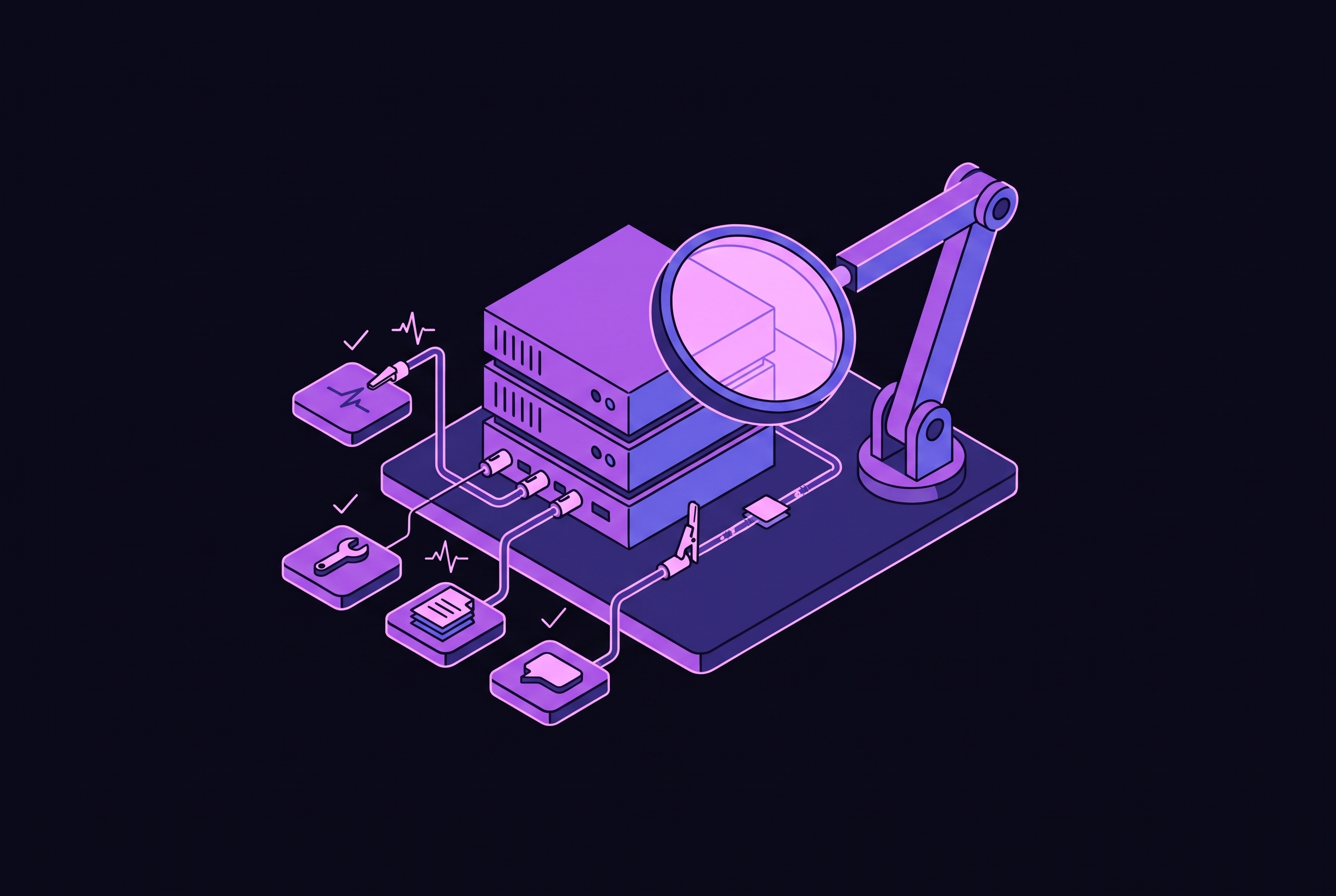
MCP Inspector gives developers a step-by-step way to test MCP servers before they connect them to a real host. Its Web, CLI, and TUI clients make discovery, regression checks, and terminal inspection part of one workflow. These checks build trust that the protocol works if they cover both protocol eras and stay separate from the unit, integration, and model evaluations needed for release.
What MCP Inspector is and the problem it solves
When a tool is missing in Claude or Cursor, the cause could be server configuration, schema errors, or protocol behavior. MCP Inspector isolates that uncertainty. It is the official, purpose-built reference client for exercising tools, resources, prompts, handshakes, and raw JSON-RPC exchanges without first wiring a server into a host. Published as @modelcontextprotocol/inspector, it runs through npx without installation.
The Inspector makes stdio and HTTP exchanges readable and actionable instead of leaving developers to interpret terminal traffic. It acts as an independent MCP client, so the messages it displays belong to its own exchange with the server.
How the Inspector is structured: one binary, three clients, one shared core
The mcp-inspector binary is a thin launcher that owns mode selection and --help. Everything else belongs to the selected client. Web is the default, with --web available explicitly, while --cli selects machine-readable execution and --tui selects interactive terminal inspection. All three use Inspector Core, which supplies the same transports, configuration files, OAuth state, and protocol-era negotiation.
That shared foundation does not make flags interchangeable. --method, for example, is CLI-only, while options such as --catalog, --config, and --server-url are client-owned. Mode flags must appear at the front. The first token that is not a mode flag ends launcher parsing, and everything after it passes to the client unchanged. Consequently, --help shows launcher help, while --cli --help shows the CLI reference.
Server definitions live in ~/.mcp-inspector/mcp.json rather than browser localStorage, so a configured server can be reused across interfaces. Configuration need not be repeated for each client. The package also installs mcpdo, an experimental connection client that keeps a connection open across multiple commands, while the CLI sends a single request.
Prerequisites and getting the Inspector running
Check node -v before launching the Inspector. It needs Node.js 22.23.4+, 24.22.1+, or 26.12.1+, and with older versions it may install but fail later without a clear reason. Read the target server’s README as well, because launch commands and required arguments differ. In automated use, pin the Inspector to an exact version rather than allowing a floating dependency to change the test environment.
Run npx @modelcontextprotocol/inspector to start the Web client. It prints a URL containing a per-launch API token and opens the browser. Set MCP_AUTO_OPEN_ENABLED=false to suppress that behavior. For a local stdio server, use npx @modelcontextprotocol/inspector node path/to/server/index.js. A published server can be launched directly with npx @modelcontextprotocol/inspector npx @modelcontextprotocol/server-filesystem ~/Desktop.
Use -e KEY=value for server environment variables, and keep server flags separate from Inspector options with --, whose direction differs by client. Remote connections use --server-url with --transport http. Ports are configurable through CLIENT_PORT and SERVER_PORT. Docker is another option for isolating untrusted servers, with ports bound to 127.0.0.1. The official documentation has more details on how to set up containers and remote servers.
Using the Web client: tab-by-tab walkthrough
Begin in the Server Connection Pane on the left. Configure the transport, launch arguments, environment variables, and any bearer token required by a remote server. The pane also accepts the proxy session token on first connection. The transport choices are stdio, SSE, and Streamable HTTP, but being on that list does not make a transport the right choice for new work.
The Tools tab establishes what the server exposes. Read each tool’s description and JSON schema, then enter parameters in the generated form. Run the call. The inline JSON response exposes wrong types, schema mismatches, and server errors before a host is involved. Server state persists between Web tool calls, allowing edits and later reads to be inspected within the same session.
Next, check the content the server advertises in the Resources tab. MIME types and descriptions show how resources present themselves, while direct reads test the content they return. Subscriptions test whether change notifications arrive. Then use the Prompts tab to supply template arguments and inspect the rendered messages, separating template correctness from any later model response.
The Notifications and Protocol pane shows the exchange that led to those results. Raw JSON-RPC requests, responses, progress notifications, and server logs make failures easier to locate. V2 provides dedicated Protocol, Network, Console, Logging, Tasks, and Apps surfaces as well as Tools, Resources, and Prompts. The monitoring sidebar can stay pinned and widened while other tabs are in use.
The Apps screen adds sandboxed rendering, logs, and lifecycle status. Its scope has an important boundary. Although the Web client advertises io.modelcontextprotocol/ui, it has no LLM and therefore does not exercise the extension’s model-facing behavior. Nor does interactive inspection provide the CLI’s scriptable JSON output and stable exit codes.
Using the CLI client: scripted checks and CI integration
The CLI converts an exploratory check into a repeatable request. Each invocation connects, sends the request selected by --method, prints the result, and exits. There is no persistent session between runs. Use tools/list for discovery or tools/call with --tool-name and either --tool-args-json for a complete argument object or --tool-arg key=value for individual arguments.
For a configured HTTP target, the documented piping shape is --cli --transport http --method tools/call --tool-name get_weather --tool-arg city=Boston --format json | jq.result. The selected server still needs its connection configuration. --format json supplies machine-readable output, while --strict tightens conformance checking. For stdio, the Inspector starts and stops the server itself, so do not launch a separate copy in another terminal.
Argument separation deserves particular attention in scripts. Under --cli, everything before -- is the target command, and everything after it is Inspector options. Web and TUI reverse that direction.
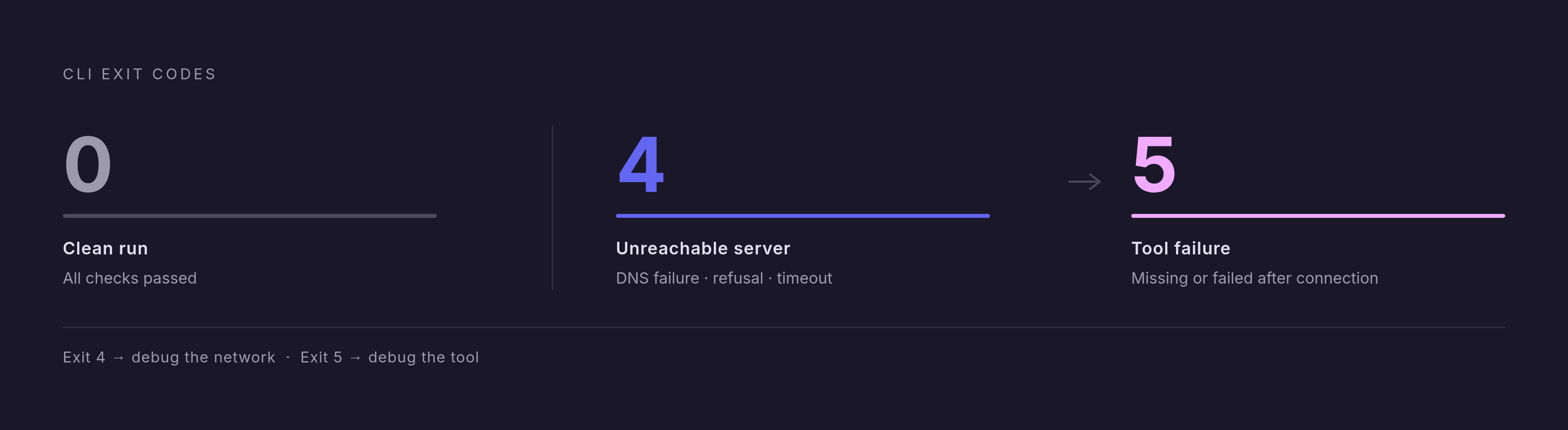
Exit codes distinguish failures without parsing response text. Exit 0 indicates a clean run, exit 5 identifies a tool failure or missing tool after connection, and exit 4 indicates an unreachable server, including DNS failure, refusal, or timeout. Promote a tools/list or representative tools/call check into a pre-commit hook or CI pipeline. Pin the package version, since the packaging issue in v2.10.0 broke npx runs soon after release.
Using the TUI client: terminal inspection without a browser
Run npx @modelcontextprotocol/inspector --tui node path/to/server/index.js for interactive inspection in a terminal. This works well for SSH sessions, containers, headless servers, and work that needs to stay in the shell. It is not a reduced core testing interface. Tools, resources, prompts, and protocol traffic remain available through keyboard navigation, with a full keyboard reference in the official documentation. The choice changes the interface while preserving the connection behavior supplied by the shared core.
Protocol eras: why a green run in the default mode is not enough
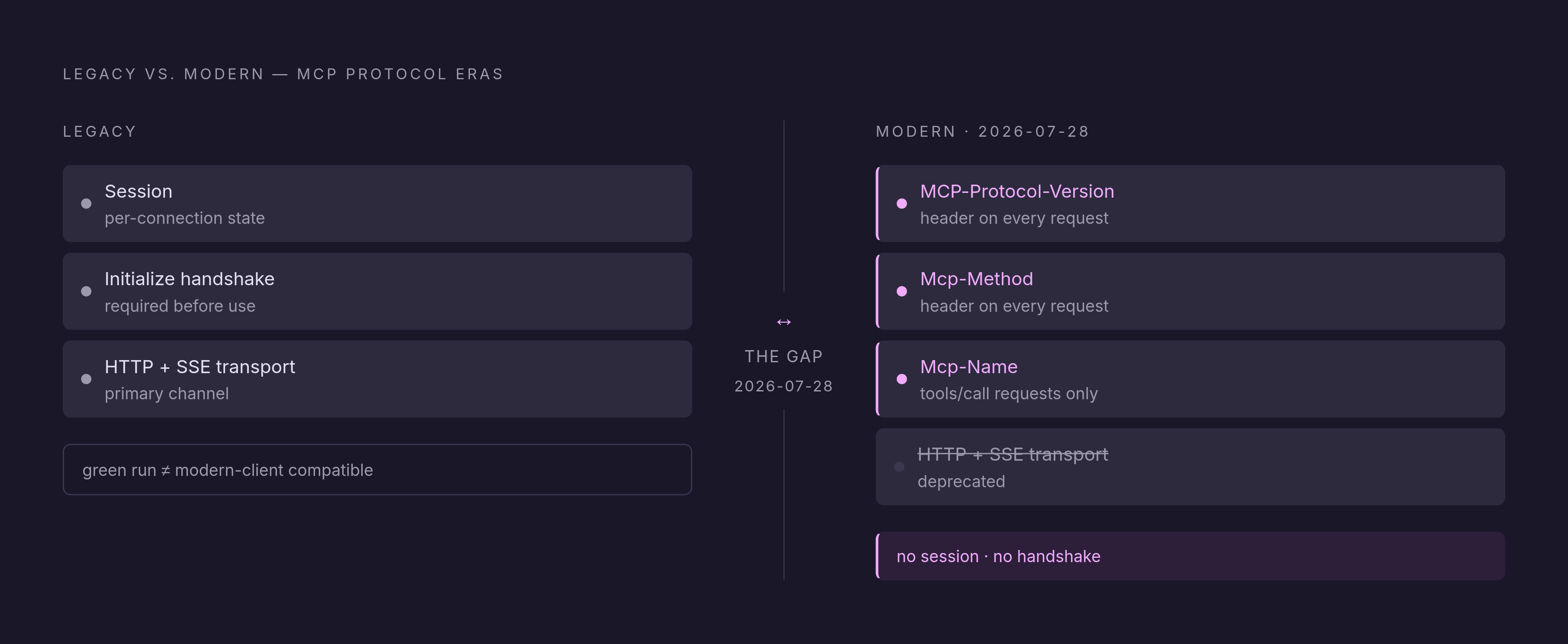
The Inspector deliberately defaults to the legacy protocol era. A passing default run therefore does not prove that the server works with a modern 2026-07-28 client. Protocol era is set for each server separately from its transport. Legacy operation uses sessions and an initialize handshake, while the modern era removes both and sends MCP-Protocol-Version, Mcp-Method, and, for tools/call, Mcp-Name headers with requests.
A legacy handshake may succeed even when the modern era fails, and a server that works with the modern era may fail the checks for the legacy era. The 2026-07-28 revision also deprecates the older HTTP+SSE transport, so teams should not use it for new work.
The official MCP documentation identifies @modelcontextprotocol/server@2.3.1 as part of the latest published major as of 2026-10-10 and states that it still serves the old era, downgrading 2026-07-28 to 2025-11-25. Keep at least one test for each era and add --protocol-era modern explicitly to CI. Separately, inspect stdio cleanliness, because the Inspector tolerates stray stdout text that a passing run does not expose as a failure.
What Inspector testing alone cannot prove, and how to close the gaps
Inspector testing answers protocol-level integration questions, including whether discovery, schema validation, execution, prompt rendering, and resource access work through an MCP client. It can also exercise legacy initialization and OAuth flows. Those checks do not establish implementation correctness. Unit tests remain necessary for deterministic assertions over pure functions and handlers that need no live transport.
To see traffic from Claude Desktop, Claude Code, or another host, a dedicated proxy must be in that transport path. Integration tests with dependencies kept under control check how adapters and identity work. Model-in-the-loop evaluation then tests whether a model chooses the right tool and keeps doing so over time.
These layers answer different release questions. A server can respond correctly yet be unsuitable for a real model’s task. For stateful protocol checks specifically, mcpdo can preserve a connection across commands when separate CLI invocations cannot reproduce the workflow.
The CVE-2025-49596 vulnerability and safe Inspector configuration
CVE-2025-49596 was a critical, 9.4-severity flaw that allowed unauthenticated callers to launch commands on the Inspector host. The proxy did not require authentication from the client. Attacker webpages could reach the localhost proxy through DNS rebinding that bypassed same-origin restrictions. The vulnerability is now marked Patched, so use a patched release alongside safe configuration.
Keep the proxy bound only to 127.0.0.1. Never expose it to the network or bypass authentication through DANGEROUSLY_OMIT_AUTH while browsing the web. Amazon’s official documentation restricts the Inspector to development use. The per-launch session token is named MCP_INSPECTOR_API_TOKEN, with the v1 name retained as a fallback.
Credential storage requires attention in headless environments as well. The Inspector keeps credentials out of mcp.json, client.json, and oauth.json, storing OAuth tokens, client secrets, and stdio environment values in the OS keychain when available. Without a keychain, those secrets go to ~/.mcp-inspector/secrets.json unencrypted unless a key is supplied. SSH sessions, containers, and Linux environments without libsecret therefore need particular care.
A repeatable debugging workflow that uses all three interfaces together
Start by checking node -v against the supported versions, selecting an exact patched Inspector version, and verifying loopback-only binding. Keep authentication enabled throughout the workflow. Launch the Web client in legacy mode, inspect Tools, Resources, and Prompts, and use the Protocol or Network pane to read the exchanges behind each result. For remote endpoints, including an Amazon Bedrock AgentCore gateway, use Streamable HTTP with --server-url and --transport http.
Repeat the same calls with --protocol-era modern. Treat an era discrepancy as a migration defect rather than accepting the legacy result as sufficient. When a tool fails, transfer its name and arguments into a CLI invocation with --method tools/call and --format json. Use exit 5 to investigate tool execution or discovery, and exit 4 to begin connection troubleshooting.
Add tools/list and one representative tools/call to a hook or pipeline, retain the exact package pin, and fail on any non-zero exit code. Include a test that explicitly uses the modern era and a legacy test. Use the TUI for interactive reproduction over SSH or in a container, and use mcpdo when the sequence requires a connection to remain open between commands.
Handler logic still needs unit tests, actual host traffic needs observation in its own path, and AI-facing release behavior needs model-in-the-loop evaluation. Together, those adjacent layers answer the next question, whether the server is ready for a real model and client.
Sources
- MCP Inspector - Model Context Protocol
Supplied the overview of the Inspector's Web, CLI, and TUI clients, the walkthrough of its tabs, exit codes, and protocol-era behavior, and the security guidance.
- Configuration and flags - Model Context Protocol
Provided the flag, launcher-parsing, environment variable, config file, and credential storage details.